.svg)

.png)

Security & Compliance
Our Official Source Code Audit – and What It Means for heylogin

Our source code is heylogin's blueprint, with all its corners, doors, staircases and rooms. It is the architecture behind the scenes. And its architects are our developers, who give their all every day to make sure heylogin runs smoothly, is built for the future and is secure to the highest standard.
But like any blueprint, source code can turn out to have weak spots once it's put into practice. Weak spots that aren't always visible at first glance. Sometimes it takes a team of experts to track down exactly those vulnerable points.
That's why, between September and November 2025, we had our entire monorepo (short for monolithic repository: a single version-control archive containing all parts of our source code) audited.
The audit was carried out by secuvera GmbH, a BSI-certified IT security service provider and recognized IT security testing body based in Germany.
The audit report identified three vulnerabilities
In November 2025, secuvera concluded that our source code contained only three vulnerabilities of medium severity. No critical or high-severity vulnerabilities were found.
Over the following months, we set about fixing these vulnerabilities systematically.
1. Vulnerability – Hardcoded credentials
Credentials for internal operations and development tools were stored directly in configuration files instead of being provided via environment variables.
Configuration files
These are settings files stored alongside the source code. The credentials are, so to speak, "pinned" to the source code itself.
Environment variables
With these, credentials are kept separately and "whispered" to the software when it starts.
To put it visually: the credentials are no longer kept in the blueprint itself, but in a separate safe, and only the machine that needs them receives them at the right moment.
Even with configuration files, the risk remained low, because an attacker would need access to the source code to see these credentials in the first place.
secuvera took this into account in its rating with "Privileges Required: High".
Keys that could be used to decrypt customer data were not among them, and by design, they never could be: thanks to our zero-knowledge architecture, these keys exist exclusively on your devices and never on our servers.
2. Vulnerability – Insecure postMessage configuration
Our password manager primarily supports you as an extension in the browser of your choice. The heylogin overlay appears whenever you want to log in to a website in your browser window.
To make this possible, our browser extension and the overlay need to communicate with each other. They do this using a built-in browser function called postMessage(). Essentially, it works like a digital postal service.
According to secuvera's audit report, these messages contained three types of information:
- Fingerprinting: A website could detect that you have heylogin installed. But nothing beyond that.
- Client parameters: These are the technical settings of your browser extension, such as which version of heylogin it's running.
- Application state: This indicates what your browser extension is currently doing. For example, is it displaying a login window right now?
Your encrypted data, however, remained untouched at all times. It was protected by our zero-knowledge encryption.
3. Vulnerability – Weak keychain configuration on iOS
Every iPhone has a specially protected storage area called the Keychain.
This is where passwords and other login credentials for your apps are stored securely. Apps, including heylogin, can choose from various access levels defined by iOS.
In September 2025, we were still using the level kSecAttrAccessibleAfterFirstUnlockThisDeviceOnly.
So where was the problem? "Accessible After First Unlock" means exactly what it says: once you've unlocked your iPhone for the first time, the Keychain "safe" stays open for heylogin.
"This Device Only", on the other hand, restricts the data to your device. All credentials remain exclusively on your iPhone.
However, there are stricter access levels that close the Keychain to heylogin every time you lock your device. That's why the level we had chosen was flagged as slightly less secure, even though attackers would still face several other hurdles before they could actually carry out an attack.
Over the course of the past year, we switched to kSecAttrAccessibleWhenUnlockedThisDeviceOnly, which only makes the data accessible while the device is actually unlocked.
After optimizing our source code: an outstanding result
Exactly one year later, in September 2026, we commissioned a follow-up audit. By then, we had fixed all of the vulnerabilities mentioned and optimized our source code.
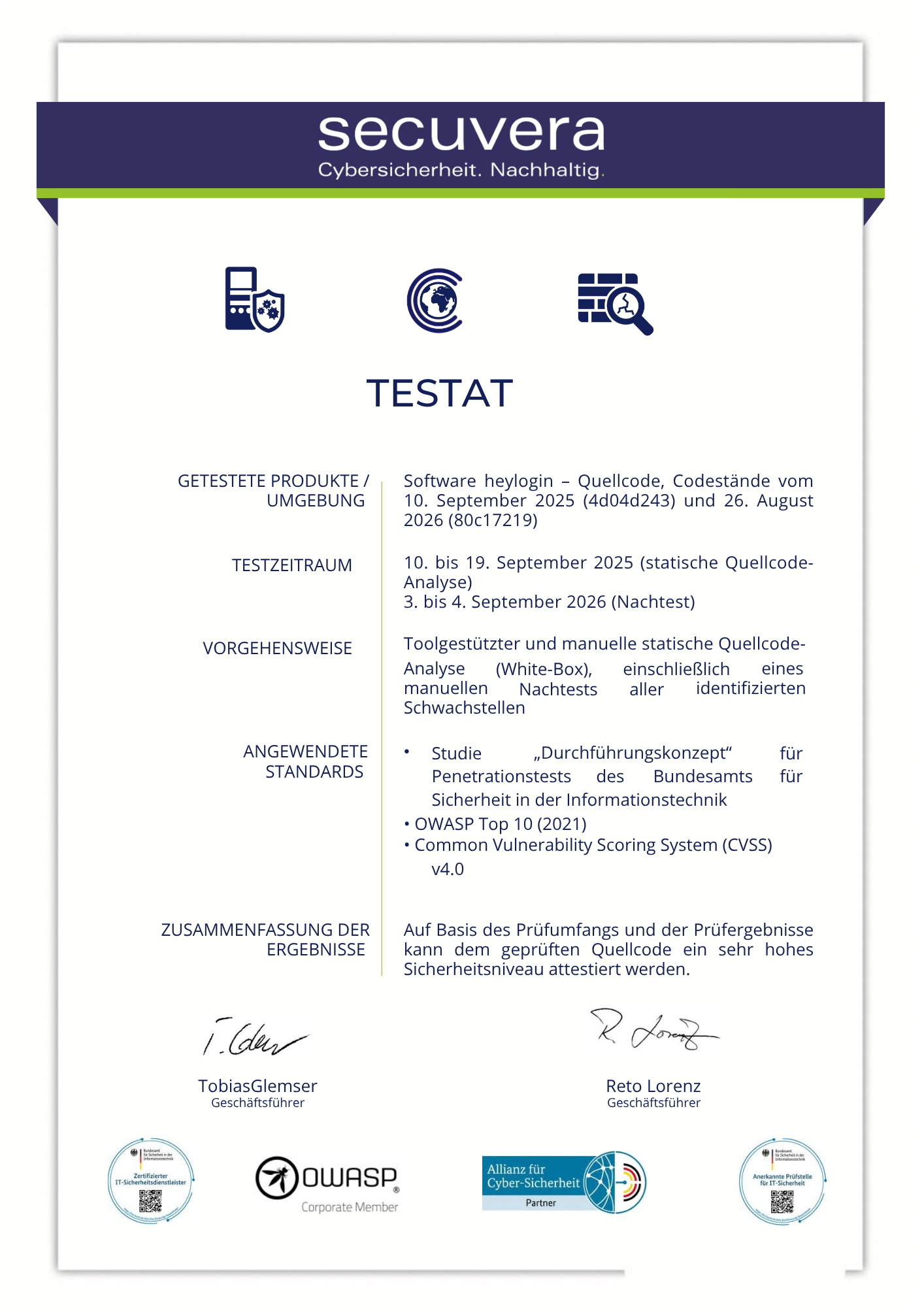
secuvera now certifies that our source code has a very high level of security, the highest rating in the assessment scheme used.
You can view secuvera GmbH's official certificate with the audit results here:
Our conclusion
A source code audit pays off, above all because it uncovers vulnerabilities before outsiders find them. We are committed to the highest level of security, for you and for us.
Our architecture, the source code, now has this security officially certified. Even though the risk was always negligible and your data was never accessible, even the smallest gaps have now been closed to attackers.