.svg)

.png)

Feature
Update: Our New Login Import – Better Structure, More Details

We live by the promise to constantly evolve and improve heylogin. It starts with the bigger picture – a Europe that takes data privacy and cybersecurity seriously – and doesn't stop at the small details, like our login import.
This is a tool that can become hugely important when uploading an existing login list in its entirety. No one wants to manually import, check, or – worst case – lose dozens of logins at once.
Until now, our importers gave only limited information about the import result: How many logins were imported, and how many were skipped.
Imagine you have logins in the triple digits and are suddenly missing five out of 200 that the system couldn't import. You either rise to the challenge and channel your inner Sherlock Holmes, or you'll never know exactly which logins are missing – and probably won't see them again until you desperately need them.
"There has to be a better way." That's what our developers thought, so they optimized the import with more details on your uploaded data.
Proudly presenting and seamlessly integrated into your heylogin account: the new import update.
Clarifying Your Upload: Failures and Duplicates
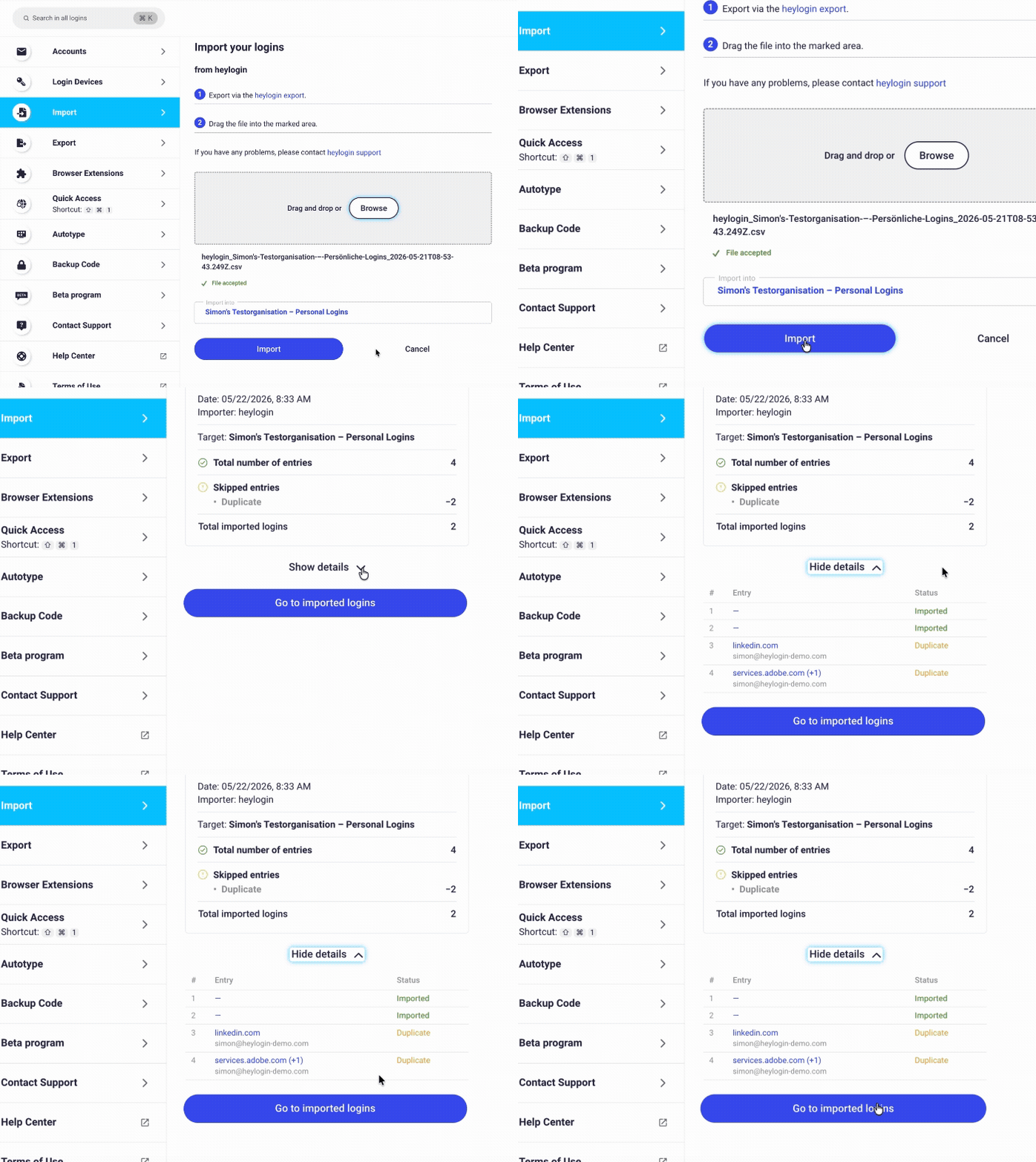
From now on, you'll always be able to check when and where you imported your logins.
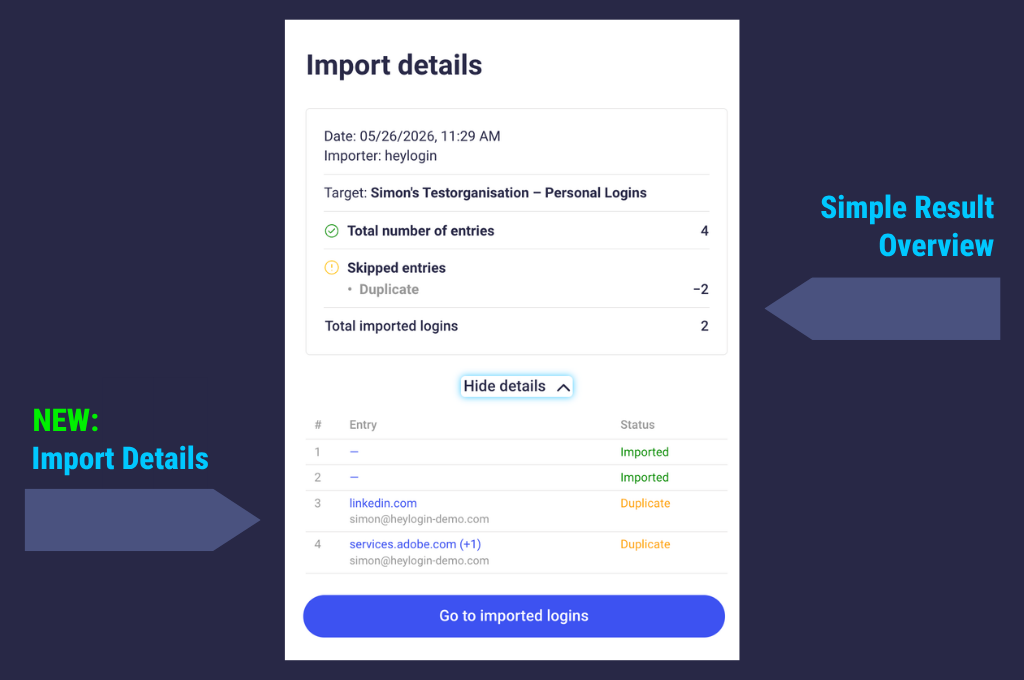
We've added a detailed list to our importer that mentions your logins by name and shows the status of each import. The same applies to failures and duplicates.
With a large number of logins, it's easy to lose track. Thanks to the update, you won't accidentally upload logins twice. Our importer detects duplicates immediately and marks them accordingly.
Which Data Is Not Supported?
You might ask yourself which uploads could be denied by the importer. Damaged data – such as an incomplete CSV file – will be sorted out automatically, preventing defective entries in your login list.
One might think these are minor changes, but usability will always be one of our priorities.
New: Your Import History
After successfully importing your login data, you can still come back to your import history – whenever you need to check the detailed listing. There are two ways to get there: Directly from each login entry, linked in the footer, or via "Import" in your settings.
We're looking forward to your feedback and hope this latest update makes life a tiny bit easier for you.